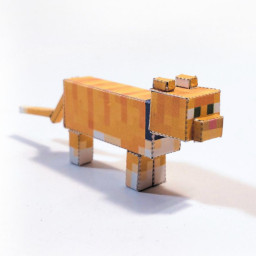
Download a sample Cat texture (right click and save):
Edit this texture in your favourite graphics program.
Select this file in the generator.
Download and print your new Cat papercraft.
Collar Color
Loading...
Updates
Originally created by Micaias32.
15 Mar 2021 Micaias32 - All cats of 1.14.
03 Feb 2022 NinjolasNJM - Converted to new generator builder, with updated backgrounds, folds and labels, as well as improved texture mappping and collar handling.
06 Aug 2022 M16 - Update thumbnail photo.
16 May 2026 NinjolasNJM - Changed to use new tint input.